0
Моя корзина
Каталог

Категории товаров

Категории товаров

0
Моя корзина

8K@30Hz USB 3.0 Displayport KVM Switch 2 Monitors 2 Computers, DP 1.4 Dual Monitor KVM Switch 2 in 2 Out with 4* USB 3.0 Port for 2 Computers, with 2 DP Cables & USB Cables and Wired Controller

0
Код товара: 9SIAMYEKA42181
Предложение актуально на:22/04/2025
23,988.41 руб.
Type: DisplayPort, USB
PC Connectors: 2 PCs
Computer Connections: 2 Ports
Monitor Connections: Dual Monitor Displayport
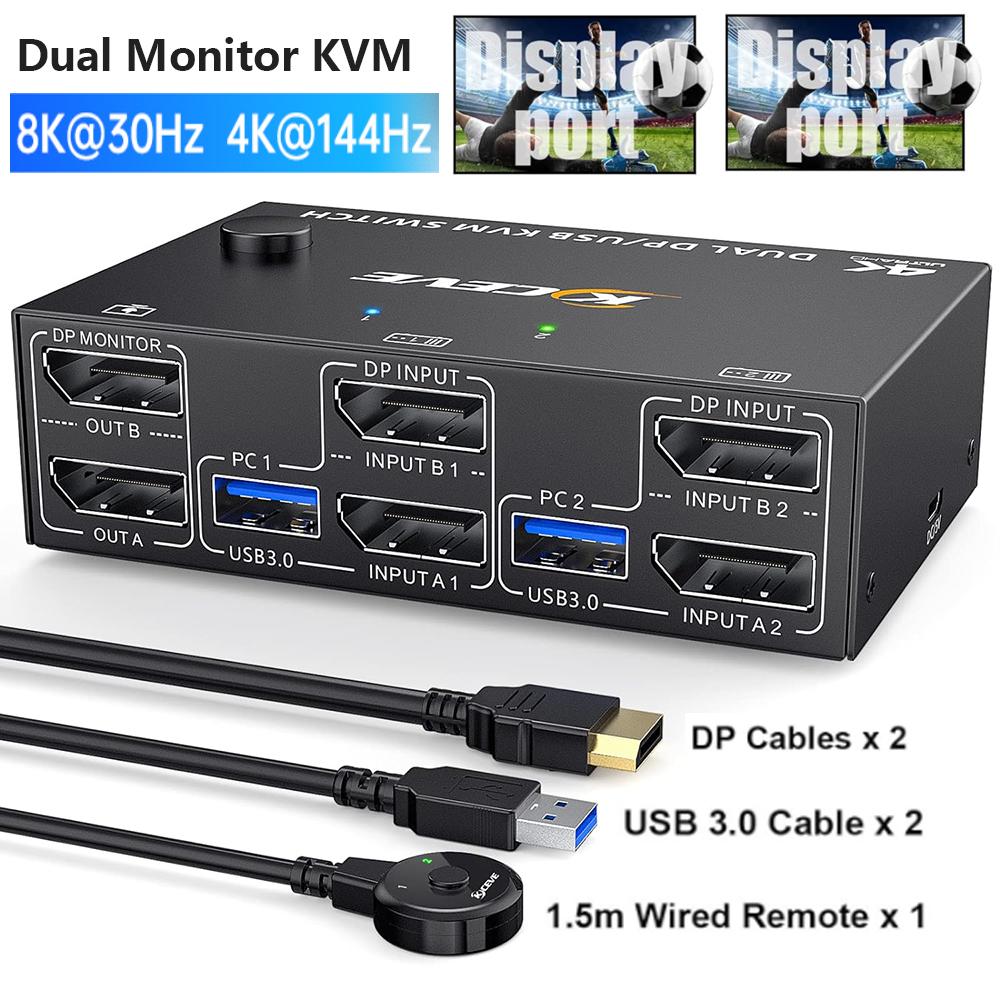
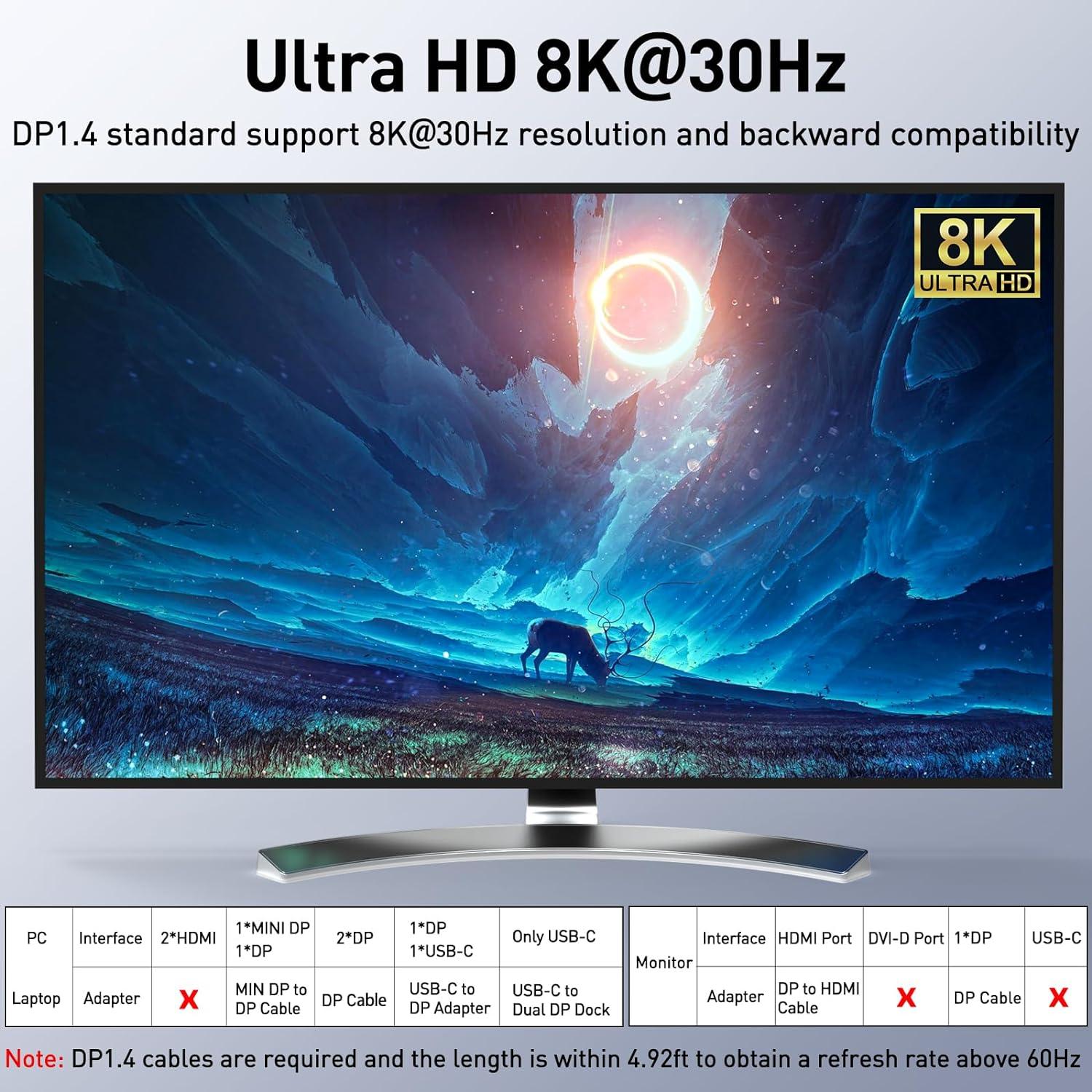
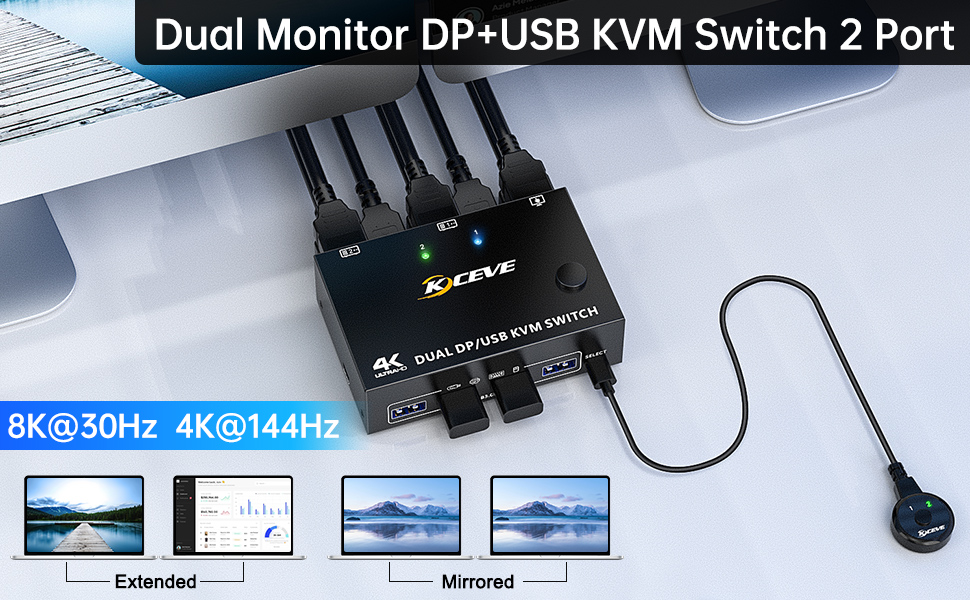
Video Resolution: DP 1.4 KVM Switch supports max. resolution of 8K@30Hz, 4K@144Hz and downward compatible DP 1.2.
PC Selection: Push Buttons
Monitors Supported: Displayport dual monitor
LED Indicators: Yes
Доставка из USA ориентировочно 12.02.2026. Пошлина: 3,598.26 руб.
В наличии

529 в наличии (может быть предзаказано)

В избранноеВ избранном0
В сравнениеДобавлено в сравнение0
24 человека смотрят это товар.
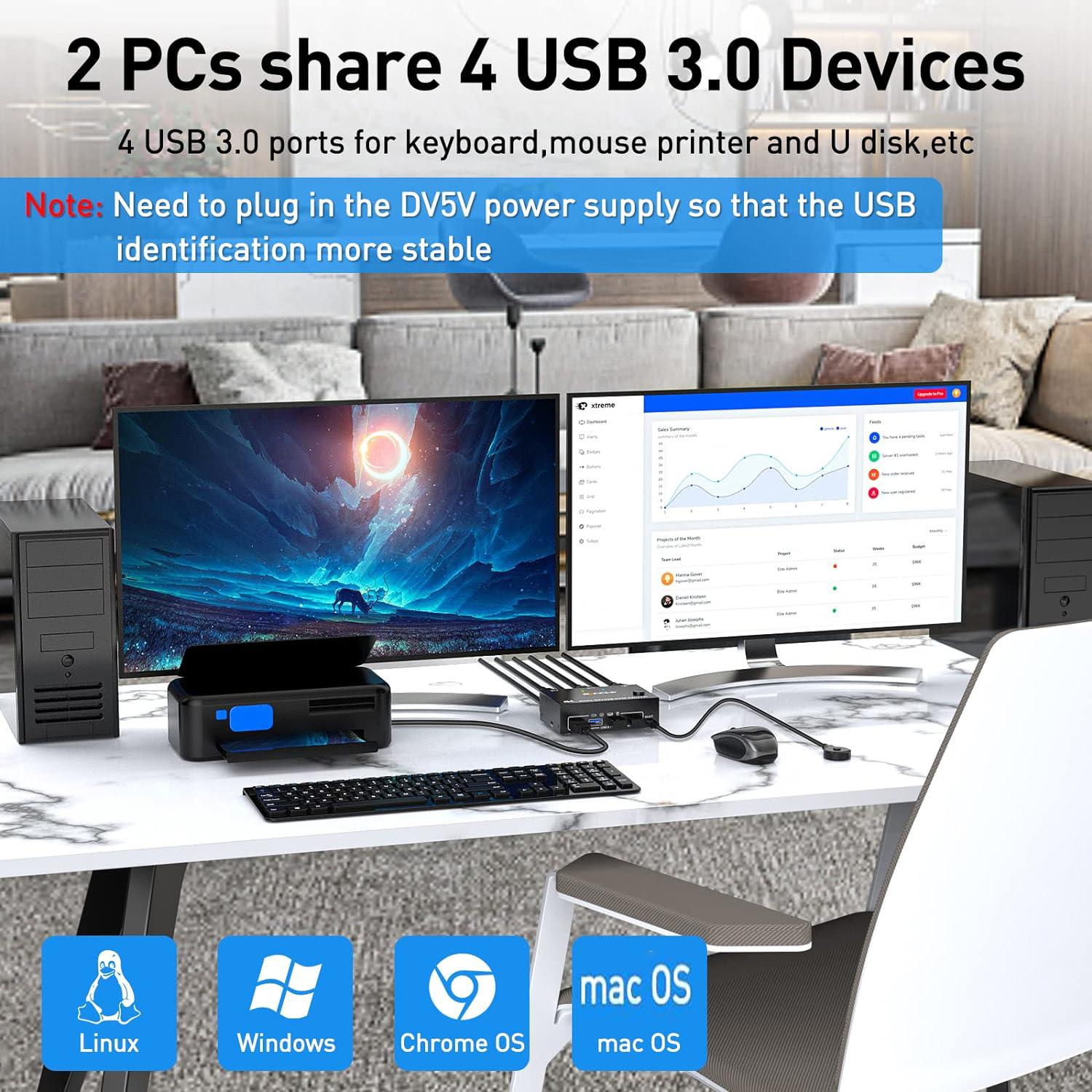
2 Ports Dual Monitor displayport KVM Switch,2 computers share 2 monitors and 4 USB3.0 devices.
2 Ports Dual Monitor Displayport KVM Switch,2 computers share 2 monitors and 4 USB 3.0 devices.


Advantages:


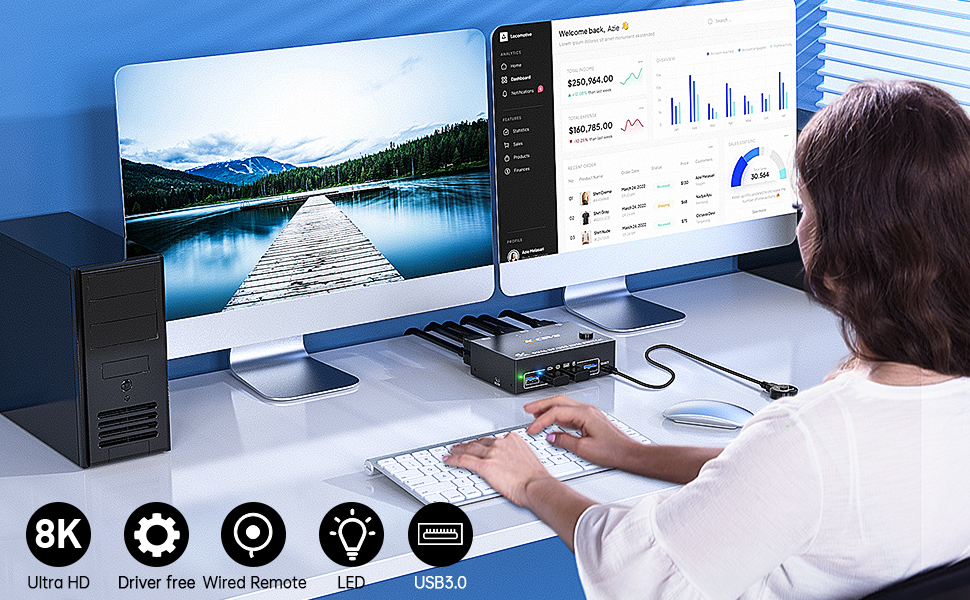
  • 2 computers share one set of wired/wireless keyboard, mouse and 2 monitors.
  • Support max up resolution 8K@30Hz,4K@144Hz,2560×1440@144Hz,1920x1080P@144Hz,downward compatible.support ultra-wide monitors.
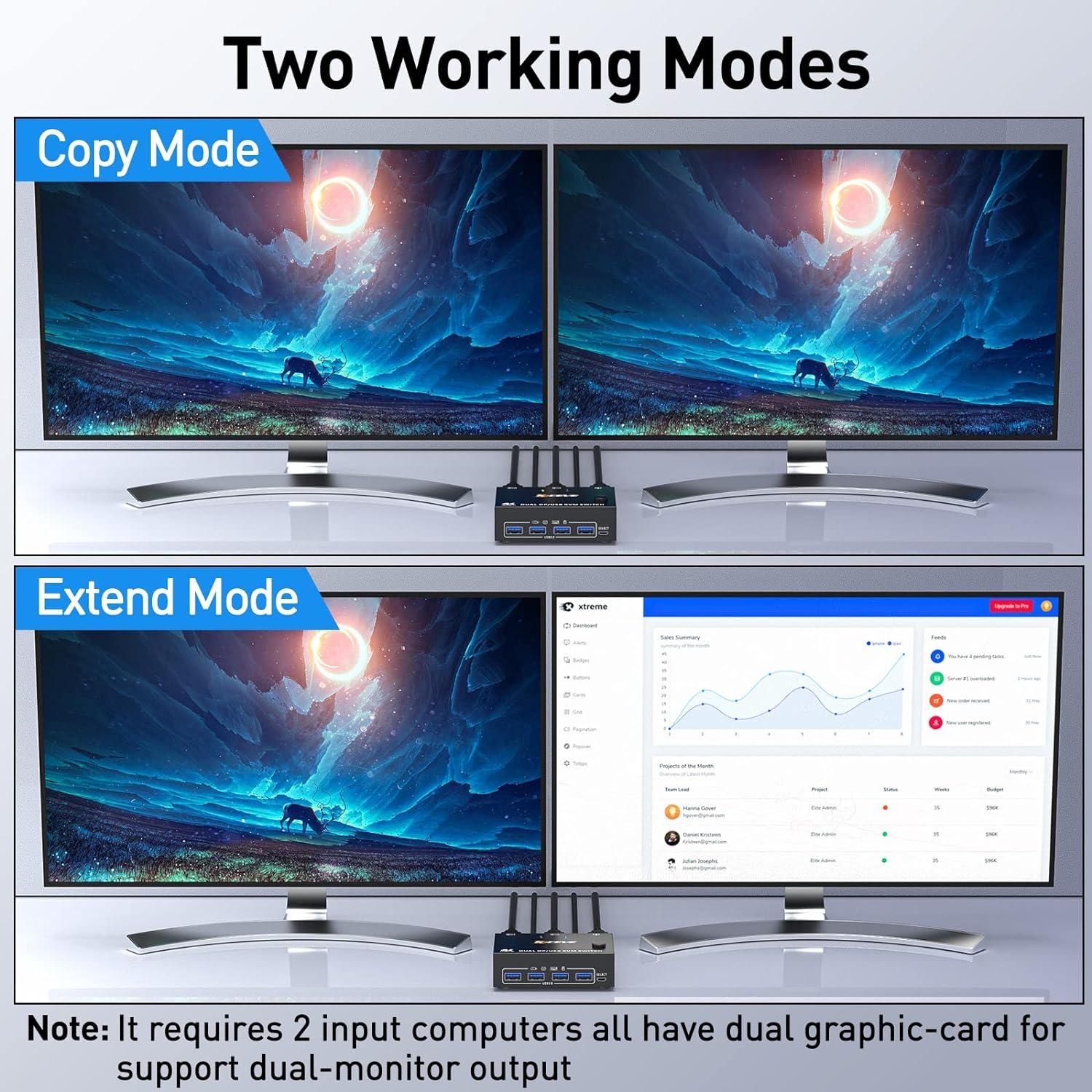
  • Dual monitors output support extended and mirror display.
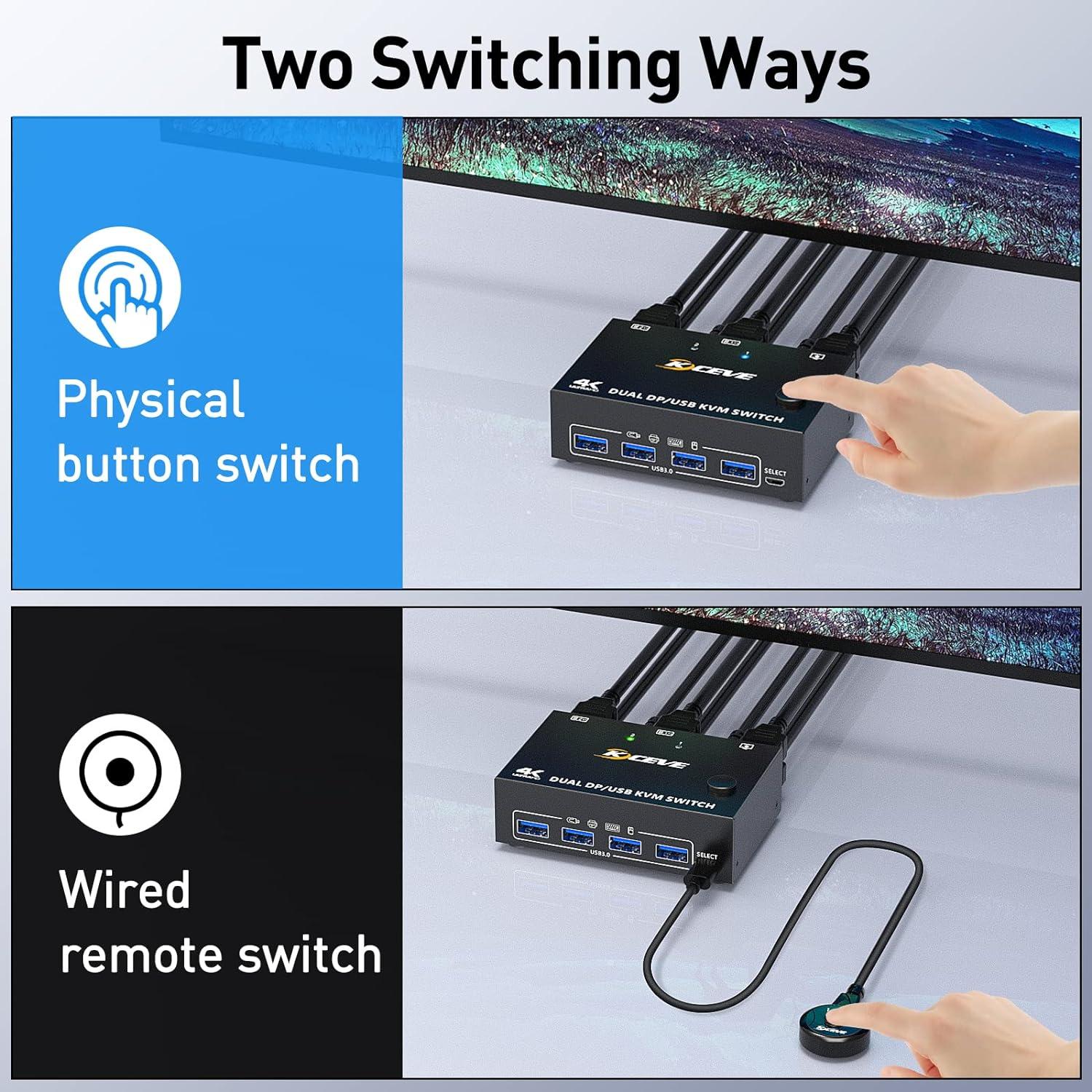
  • Switching modes: Button switch and wired remote (1.5m),switch between 2 computers just need 2-4 seconds, fast and convenient.
  • Support wired or wireless keyboard and mouse.When use a mechanical gaming keyboard,You need to plug in the DC 5V USB power cable to the KVM to provide sufficient power.
  • Cross support most major OS including Windows, Linux, Mac OS.
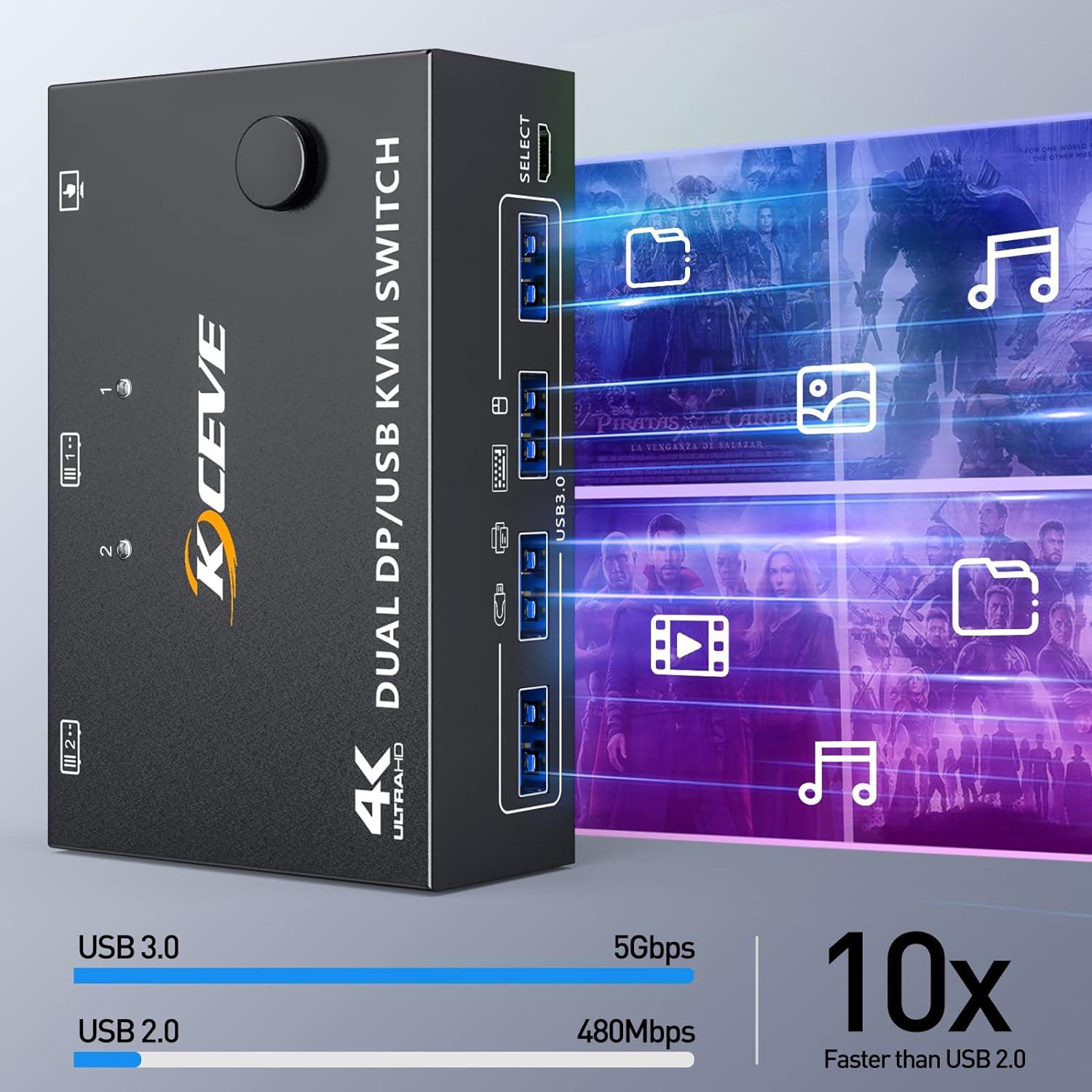
  • Dual displayport KVM switch with 4 USB 3.0 ports for USB devices.
  • Support DP 1.4 standard, backwards compatible with DP 1.2 standard.


Dual Monitor Displayport 1.4 KVM Switch

2 ports dual-monitor DP KVM Switch (DP + DP)


Note:

  • Dual DP KVM switches require two DP connections per computer, and for computers with discrete and integrated graphics cards require both DP ports to be part of the discrete graphics card. However, most computers, especially laptops, do not have dual DP ports and therefore require a reliable adapter or docking station. So please know the configuration of the computer before ordering.
  • Input:Support MINI DP to DP Cable,USB-C to DP Adapter,USB-C to Dual DP Dock. Don’t support HDMI to DP,DVA/VGA to DP.
  • Output:Support DP to HD-MI Cable. Don’t support DP to USB-C/DVI/VGA.
  • Each computer must be connected with 2 DP cables and 1 USB cable to keep the keyboard, mouse, and monitor working properly. If there is a USB connection to the computer and KVM, but the mouse and keyboard or other USB devices are not recognized, please connect the DC5V power supply (power cord is included in the package)


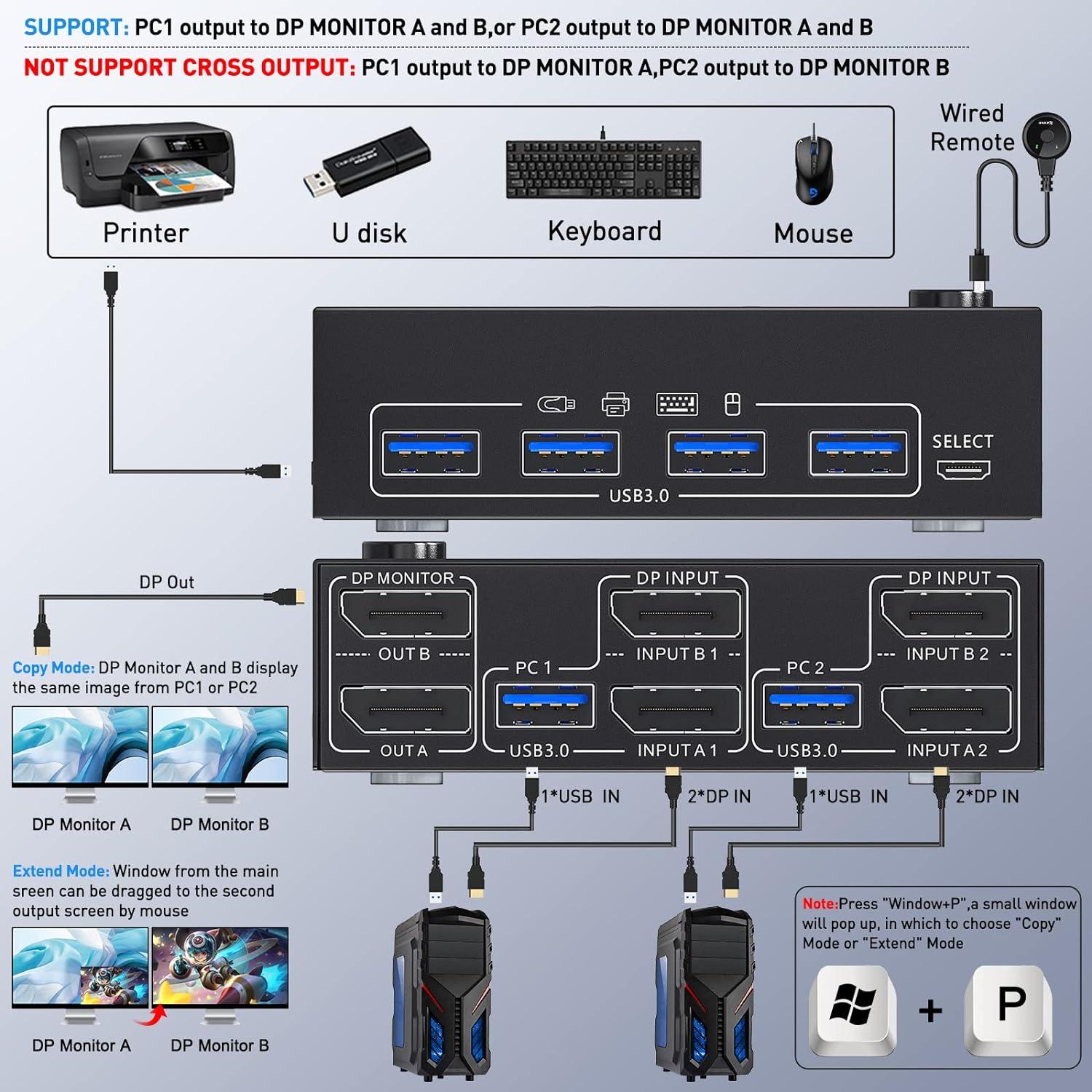
  • After connecting the computer to the monitor using the KVM, set the screen output mode (press Windows+P) on the keyboard and select the output mode in the dialog box that is displayed. Otherwise, only 1 of the two connected monitors has an image.


Warm tips:


  1. If using the MST multi-screen docking station, the computer CPU requires 11th generation; Docking station resolution work with 4k@30Hz or 1080p@60Hz when dual screen display.
  2. MAC1/MAC2 only supports one external screen, no multi-screen output.

Connection diagram of Displayport KVM Please follow the connection diagram for correct connection.
Connection diagram of Displayport KVM
Please follow the connection diagram for correct connection. Note: Only parallel output is supported, not cross output.


Connection steps:

Step 1: Connect 2 x DP cable +1 x USB cable to PC 1 and KVM (USB 1, INPUT A1, INPUT B1), Connect 2 x DP cable +1 x USB cable to PC 2 and KVM (USB 2, INPUT A2, INPUT B2).

Step 2.: Connect 2 x DP cable between the KVM (OUT A, OUT B) and the monitors.

Step 3.: Connect a keyboard and mouse or other USB devices to the USB output ports on the KVM.

Step 4: Plug the desktop controller into the SELECT port and remotely switch between PC1 and PC2.
Connection steps:  Step 1: Connect 2 x DP cable +1 x USB cable to PC 1 and KVM (USB 1, INPUT A1, INP

8K/4K HD Resolution Support 8K@30Hz,4K@144Hz,1440P@144Hz and backward compatible with lower resoluti
8K/4K HD Resolution

Support 8K@30Hz,4K@144Hz,1440P@144Hz and backward compatible with lower resolutions.
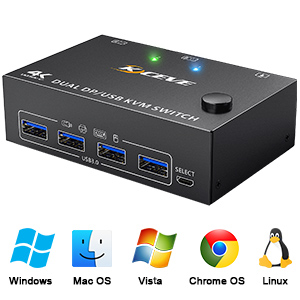
Suitable for multiple systems Driver-free for Windows 11/10/8/7/Vista/XP and Mac OS,Linux,plug and p
Suitable for multiple systems

Driver-free for Windows 11/10/8/7/Vista/XP and Mac OS,Linux,plug and play.
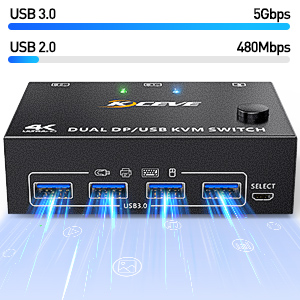
4-Port USB 3.0 with 5Gbps Supports 5Gbps data transfer speed , can transfer files in Seconds,10 time
4-Port USB 3.0 with 5Gbps

Supports 5Gbps data transfer speed , can transfer files in Seconds,10 times faster than USB 2.0.
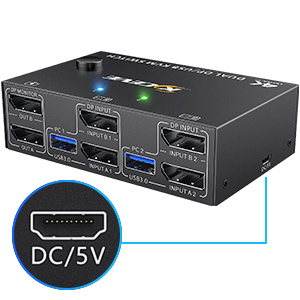
DC5V power port (optional) When using high-power USB devices, please plug in the power cable to prov
DC5V power port (optional)

When using high-power USB devices, please plug in the power cable to provide sufficient power. (Package includes USB power cord)
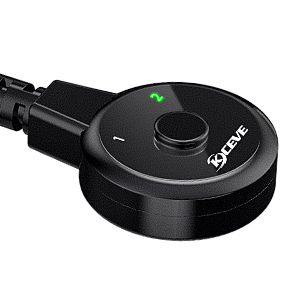
Wired Remote Control Length: 1.50m Supports wired remote switching for easy cable management,with d
Wired Remote Control

Supports wired remote switching for easy cable management,with digital 1/2 indicator light (green light).
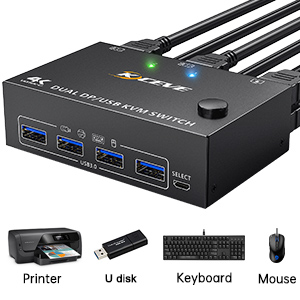
Works as a USB 3.0 switch (2 in 4 out) 4 USB 3.0 ports, backward compatible with USB 2.0 and USB 1.1
Works as a USB 3.0 switch (2 in 4 out)

4 USB 3.0 ports, backward compatible with USB 2.0 and USB 1.1, share USB devices such as keyboard mouse scanner, printer, flash drive, etc.
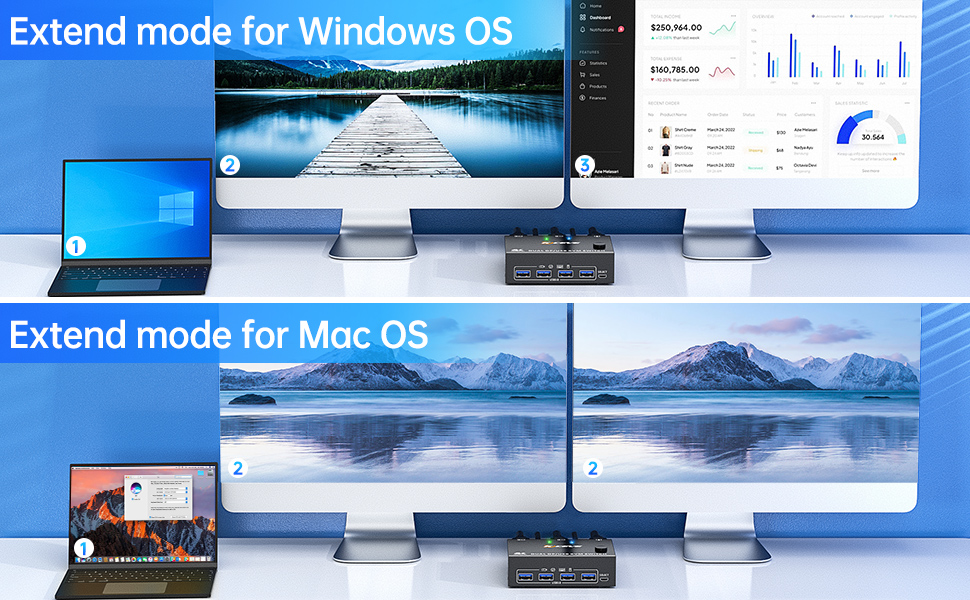
Please be Aware before Order: This Dual Monitor KVM Switch DisplayPort requires 2* DP+1*USB input fo
Please be Aware before Order:


  • This Dual Monitor KVM Switch DisplayPort requires 2* DP+1*USB input for each computer and 2* DP output for 2 monitors. However, most computers especially laptops do not have 2 DisplayPort outputs,If so, please check if your computer / laptop has another video ports like HDMI or USB C (VGA and DVI is not recommended), If yes, you can use a powered HDMI to DP adapter (HDMI input, displayport output, with USB power), or a USB C to DP adapter for converting it to DisplayPort.
  • When adapters are being used, the resolution will drop. So the less adapter the better.
  • Suggest to Use DisplayPort monitor to avoid using adapters on video outputs.
  • This Dual Monitor Displayport KVM Switch does not support EDID emulation (all DP KVM on the market do not support it, this is the DisplayPort specific issue and is why DisplayPort doesn’t support EDID emulation, not just this product). So,after switching, the window position of the original display information will be shifted to some extent.
  • If need to achieve 8K@30Hz, 4K@144Hz, 4K@120Hz, in addition to the computers and monitors to support this resolution, also need to use a real 8K DP1.4 cables, the 2 cables we provide are 8K DP cables.
  • Most reasons for only one video output are due to incorrect connections. Please ensure that each computer has (2 DP cables + 1 USB cable) connected to the KVM.

package

Детали

Разъемы для ПК

2 PCs

Подключения к компьютеру

Подключения монитора

Dual Monitor Displayport

Разрешение видео

DP 1.4 KVM Switch supports max. resolution of 8K@30Hz, 4K@144Hz and downward compatible DP 1.2.

Выбор ПК

Поддерживаемые мониторы

Displayport dual monitor

Светодиодные индикаторы

Yes

Характеристики мощности

Requires no additional power supply

Особенности USB

Комплект поставки

1 x Displayport KVM Switch
2 x Displayport Cable 1.5 m
2 x USB Cable 1.5 m
1 x Wired Remote Control Cable 1.5 m
1 x Power Cable 1m
1 x User Manual

Дата появления в продаже

April 08, 2024

Модель модификации

3Z202DP#Q2132_B

Модель

3Z202DP#Q2132_B

Артикул (SKU)

9SIAMYEKA42181

Ссылка на предложение поставщика

https://www.newegg.com/p/9SIAMYEKA42181

Отгрузка из

Состояние

Новый

Type

DisplayPort, USB

Application

This Dual Monitor KVM switch 2 computers 2 monitors help you to control 2 computers or laptops by only one set of wired or wireless keyboard mouse,share 4 USB 3.0 devices and 2 monitors(extended mode or copy display mode).

Features

2 computers share 4 USB 3.0 devices and 2 monitors.

Dual monitor output supports extended and copy display.

Switching mode: push-button switch and wired remote control.

Supports wired or wireless keyboard and mouse.

Support for most major operating systems, including Windows, Linux, and Mac

Support the highest resolution 8K@30Hz,4K@144Hz, downward compatible.

Dimensions

10.2 x 6.1 x 3.1cm

Weight

Net Weight: 200g

Название производителя

8K@30Hz USB 3.0 Displayport KVM Switch 2 Monitors 2 Computers, DP 1.4 Dual Monitor KVM Switch 2 in 2 Out with 4* USB 3.0 Port for 2 Computers, with 2 DP Cables & USB Cables and Wired Controller

Dimensions
Weight 0.80 кг
Dimensions 24.00 × 15.01 × 5.99 см

User Reviews

0.0 out of 5
0
0
0
0
0

There are no reviews yet.

Only logged in customers who have purchased this product may leave a review.

С этим товаром покупают
  • ×
    Open full product page
    0
    0
    30 в наличии (может быть предзаказано)
    13,413.04 руб.
  • ×
    Open full product page
    0
    0
    100 в наличии (может быть предзаказано)
    4,999.31 руб.
  • ×
    Open full product page
    0
    0
    20 в наличии (может быть предзаказано)
    16,249.52 руб.
  • ×
    Open full product page
    0
    0
    30 в наличии (может быть предзаказано)
    10,399.27 руб.